SKETCHUP EXTENSION FOR REPORTINGYour Model has the Data.
Now Let it Talk.
SketchData Reports runs inside SketchUp and turns your 3D model into instant component counts, pricing breakdowns, and print-ready reports - without ever leaving your workspace.
Available inside
Sketchup
Extension
Warehouse
THE GAP IN YOUR WORKFLOW
You already have everything in the model.Getting it out is the problem.

Manual counting takes forever
Scrolling through components by eye, writing counts in a separate spreadsheet - then redoing it every time the model changes.

Switching apps breaks your focus
Exporting data, opening Excel, reformatting columns - by the time you have a takeoff, you've lost your place in the design.

Pricing lives somewhere else
Your component data is in SketchUp. Your pricing is in a spreadsheet. Connecting the two is manual, error-prone, and takes time you don't have.

Client reports don't write themselves
Getting a printable, professional takeoff report means even more steps outside SketchUp. There's got to be a better way.
THE FIX
SketchData Reports keeps the whole workflow
inside the model
Every component you've placed in SketchUp is already data. SketchData Reports reads that data, applies your pricing, and generates a professional report - in seconds, without opening another app.
- Component Counts
- Pricing Totals
- Printable Reports
- Live Refresh
- Works in SketchUp Pro
WHAT SKETCHDATA REPORTS DOES
Everything your project data can tell you-organized, priced, and ready to share.
SketchData Reports is a SketchUp extension - installed once from the Extension Warehouse, accessible any time from your SketchUp toolbar. Our extension is free to download with your SketchUp subscription. No separate login. No subscription to another service. Just more out of the tool you already use. Use the Demo version with full functionality or remove the demo watermark from your reports for an additional $15 per month.

Component Count Reports
Automatically reads every named component in your SketchUp model and generates a precise count by type - sorted, organized, and ready to review.
QUANTITY TAKEOFFS IN SECONDS

Pricing Integration
Attach unit pricing to your components and let SketchData calculate totals automatically. Update a price, refresh the report - your estimate stays current with your model.
COST ESTIMATES FROM MODEL DATA

Print-Ready Reports
Generate clean, formatted paper reports you can hand to a client, subcontractor, or project manager - directly from inside SketchUp. No extra formatting required.
PROFESSIONAL CLIENT DELIVERABLES

Model Transparency
See exactly what's in your model: every component instance, its definition name, how many times it appears, and where. Catch duplicates and discrepancies before they become problems.
FULL VISIBILITY INTO YOUR MODEL

Live Refresh
Changed the design? Refresh the report. SketchData pulls directly from your live model, so your data is always current - no re-exporting, no re-entering.
ALWAYS IN SYNC WITH YOUR MODEL

Runs Inside SketchUp
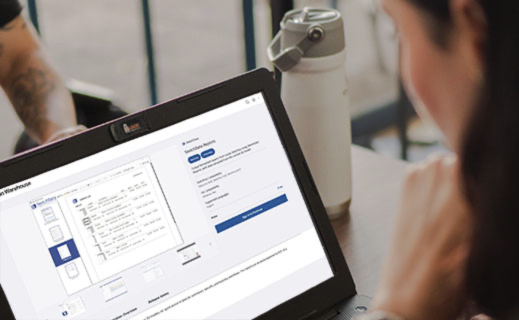
SketchData Reports lives in your Extension Warehouse panel. It's part of your SketchUp environment - no context switching, no second screen, no extra steps.
EXTENSION WAREHOUSE INSTALL
BUILT FOR PEOPLE LIKE YOU
If you’re in SketchUp, you’re already halfway there.
SketchData Reports was built for people who build, design, and create with SketchUp every day - and who need the data from their models to do their jobs well.

Construction Professionals
Generate material takeoffs and pricing estimates straight from your construction models. Share accurate component counts with your team or subcontractors without a separate estimating tool.
USE CASE: Bid prep, Material estimates, Subcontractor takeoffs

Architects & Designers
Produce client-facing reports from your design models without leaving your design environment. Whether it's a schematic phase or construction documents, you know exactly what's in the model.
USE CASE: Design documentation · Client deliverables · Model audits

Interior Designers
Turn your furniture and finish schedules into organized reports. Know exactly how many of each item you've specified - and the total cost - before you send a proposal.
USE CASE: Furniture schedules · FF&E pricing · Proposal prep

Cabinetry & Millwork Pros
Get component-level detail on cabinet types, sizes, and quantities across your whole kitchen or millwork project. Use the pricing feature to build accurate quotes fast.
USE CASE: Cabinet counts · Shop drawings · Client quotes

Set & Environment Designers
Managing a complex set or game environment? SketchData Reports gives you a full inventory of every prop and element in your model - essential for production planning and asset tracking.
USE CASE: Prop inventories · Asset lists · Production planning

Game Environment Artists
Model management matters when you're building complex environments. Track which assets you're using, how often, and where - so your environment is intentional, not accidental.
USE CASE: Design documentation · Client deliverables · Model audits
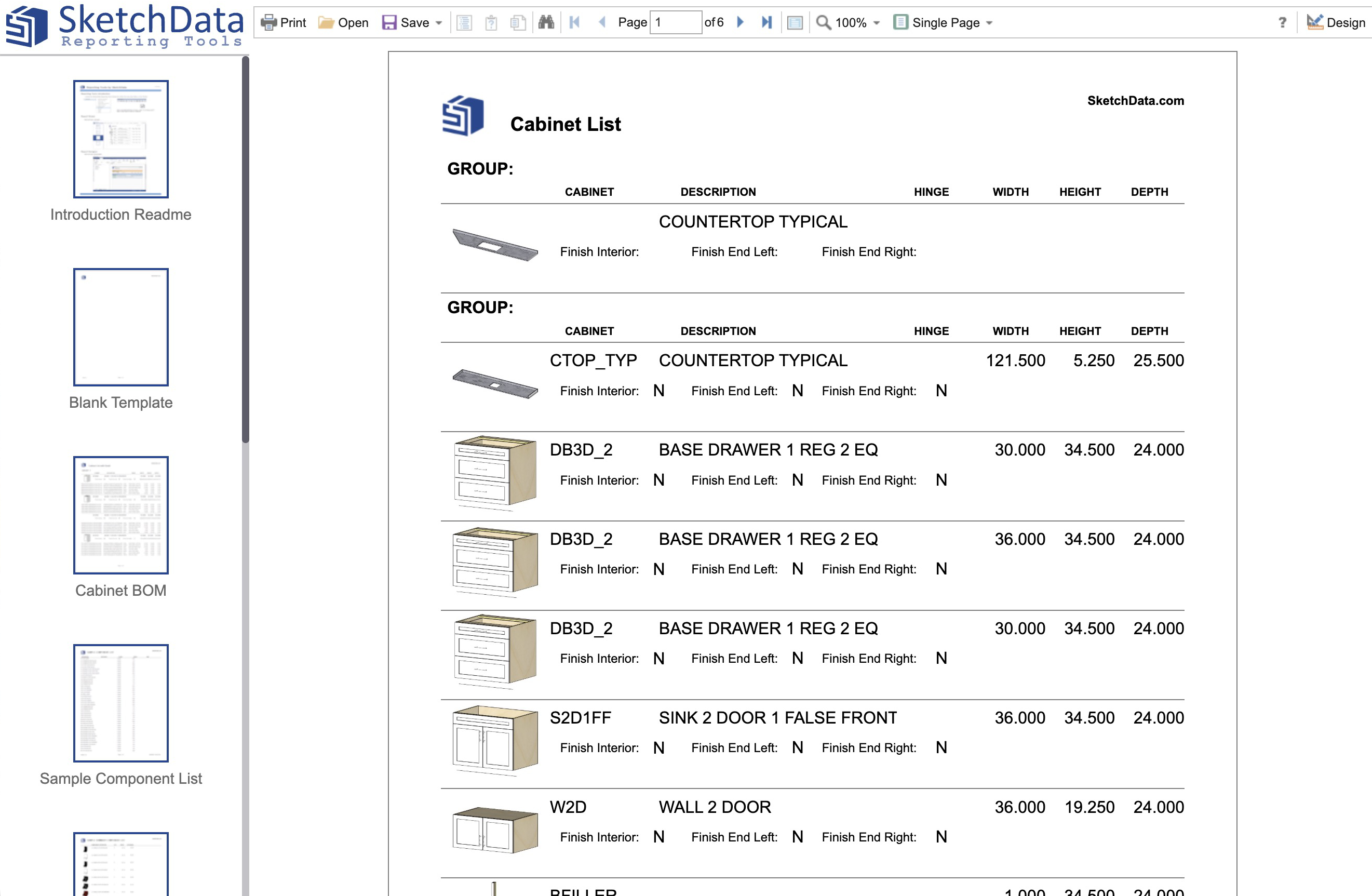
SEE THE OUTPUT
This is what a SketchData report actually looks like.
Every row in this table came from a SketchUp model. SketchData reads your components, counts them, applies your pricing, and formats everything for review - or printing.
1
Install SketchData Reports from the Extension Warehouse - it takes under a minute.
2
Open your SketchUp model. Run the Reports tool from your Extensions menu.
3
Your component data populates instantly. Add pricing, review counts, generate your report.
SEE IT IN ACTION
Watch how SketchData Reports works inside SketchUp.
Seeing it run is faster than reading about it. These videos walk through the reporting features directly in the extension.
Getting Started with SketchData Reports
A walkthrough of the core reporting features - component counts, how pricing works, and generating your first report inside SketchUp.
Advanced Reporting Features
Dive deeper into SketchData's reporting capabilities - sorting, filtering, and getting the most out of your component data in complex models.
FREQUENTLY ASKED QUESTIONS
Questions people ask before installing.
Still not sure if SketchData Reports is right for you? These are the most common questions.
What is SketchData Reports?
SketchData Reports is an extension that runs inside SketchUp Pro and reads the component data in your 3D model. It generates organized reports showing every component, how many times it appears, and - if you've added pricing - the total cost. Reports can be printed or saved directly from inside SketchUp.
How do I install SketchData Reports?
Go to the SketchUp Extension Warehouse - either from inside SketchUp (Extensions > Extension Warehouse) or through the direct link on this page. Search for "SketchData Reports" and click Install. It'll be available in your Extensions menu immediately. You'll need an active SketchUp Pro subscription.
Does this work with SketchUp Go or SketchUp Studio?
SketchData Reports is designed to work with SketchUp Pro, which includes access to the Extension Warehouse. SketchUp Go (web and iPad only) does not currently support extensions. Check the Extension Warehouse listing for the most current compatibility information.
What kinds of reports can SketchData generate?
SketchData Reports generates component count reports (how many of each named component are in your model), pricing reports (unit cost × quantity = line total), and printable formatted paper reports for client or team delivery. Reports pull directly from your live model, so they update when your design does.
Can I add my own pricing to the reports?
Yes. SketchData Reports is built to incorporate pricing data attached to your SketchUp components. When unit prices are assigned, SketchData calculates line totals and project totals automatically. This is particularly useful for construction estimates, cabinet quotes, and interior design proposals.
Can I link the model data with an external spreadsheet?
Yes. SketchData Reports can link model data to an external spreadsheet in a printable report, making it easier to update data on each component. Simply modify your spreadsheet and the new data will display in your reports.
Is SketchData owned by Trimble?
SketchData is a third-party extension developer, independent of Trimble. SketchData Reports is a separate product available through Trimble's Extension Warehouse, which hosts extensions from many third-party developers.
I'm an interior designer, not a contractor. Is this still useful?
Absolutely. Interior designers use SketchData Reports to generate furniture and finish schedules, quantity lists for FF&E specifications, and pricing summaries for client proposals - all from their SketchUp models. If your components are named and organized in your model, SketchData can report on them.
SKETCHUP EXTENSION WAREHOUSE
Your model already has the answers.SketchData surfaces them.
Stop counting by hand. Stop switching apps. Stop rebuilding the same spreadsheet every time the design changes. Install SketchData Reports and start getting real value from the data that's already in your model.
REQUIRES SKETCHUP PRO • AVAILABLE VIA EXTENSION WAREHOUSE